
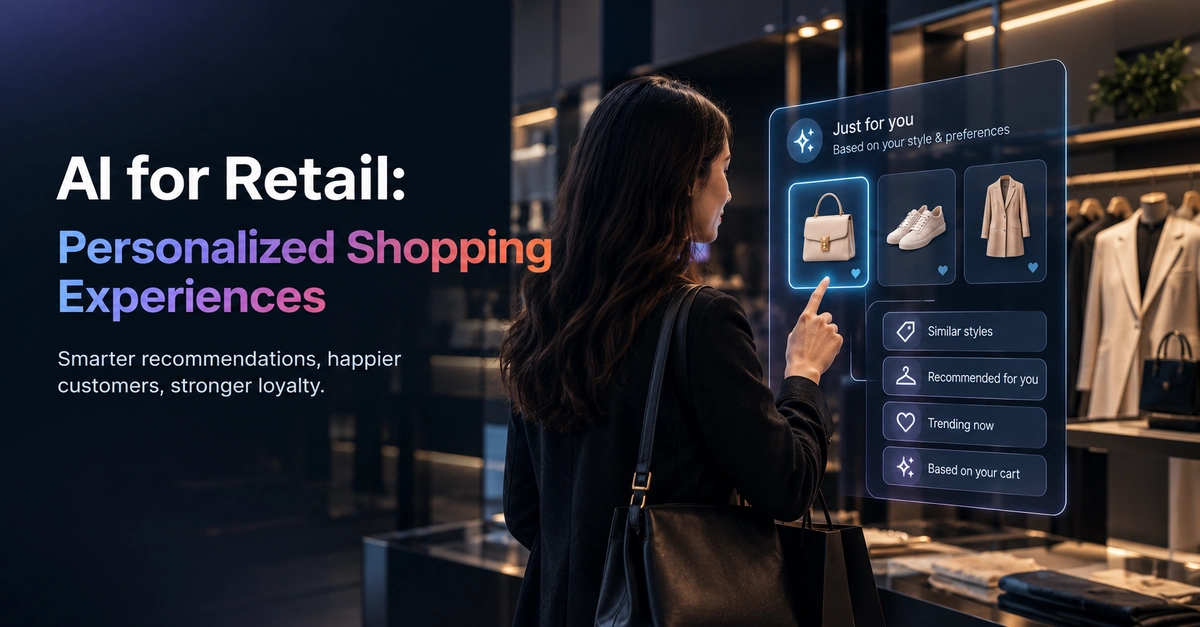
Last week a shopper bought running shoes from your store. Two days later, she opens your app. The home screen shows a winter jacket, a sofa sale, and a gift card. None of it fits her, so she closes the app. She may not open it again. Small misses like this cost real money. AI in retail helps you avoid them. It reads purchase history, browsing behavior, and context, then decides what each shopper sees. This guide is for developers who build or maintain e-commerce systems. You will learn how AI personalization in retail works and how a recommendation engine picks products. You will also build a working one in Python and see where these systems break in production. Why personalization matters to shoppers and to your roadmap McKinsey's Next in Personalization 2021 report found that 71% of consumers expect companies to deliver personalized interactions. It also found that 76% get frustrated when that does not happen. The same research reports that faster-growing companies earn about 40% more of their revenue from personalization than slower-growing ones. Treat this as a correlation. It does not prove that personalization alone causes growth. The takeaway for developers is simple. A personalized shopping experience is now a baseline expectation. Product managers will ask for it, and you will build it. How is AI used in retail? Personalization is one part of a larger picture. Here are the most common retail AI use cases, and what each one needs from your stack. Use case What the AI does Typical data needed Product recommendations Ranks items a shopper is likely to want Clicks, purchases, catalog data Personalized search Re-ranks search results per user Search queries, click-through data Email and push targeting Picks content and send time per user Engagement history, consent flags Demand forecasting Predicts stock needs per store or SKU Sales history, seasonality, promotions Conversational assistants Answers product questions in natural language Catalog, policies, order data This article focuses on the first row. Recommendations are the most common starting point, and they teach you the ideas behind the others. How does AI personalize the shopping experience? Every personalization system runs the same loop. Collect events. Track views, clicks, add-to-cart actions, and purchases. Build a profile. Turn raw events into features, such as "views sports gear often." Generate candidates. Pick a few hundred products that might fit. Rank them. Score each candidate and sort by expected relevance. Serve and learn. Show the results, then record what the shopper does next. Step 5 matters most. Without it, your model never improves. How do recommendation engines work in e-commerce? Most recommendation engines use one of three approaches. Approach Core idea Strength Weakness Collaborative filtering Shoppers who behaved alike want similar things Finds surprising matches Struggles with new users and new products Content-based filtering Recommend items with similar attributes Works for new products Repeats what the shopper already knows Hybrid Combine both signals Balances the weaknesses More complex to build and tune Collaborative filtering has a famous origin in retail. In 2003, Amazon researchers Greg Linden, Brent Smith, and Jeremy York published "Amazon.com Recommendations: Item-to-Item Collaborative Filtering" in IEEE Internet Computing. According to Amazon Science , the journal later named it the paper that best withstood the test of time. The key idea is easy to state. Instead of comparing shoppers to each other, compare products. Product B is related to product A if people who bought A are more likely to buy B than the average customer is. This scales well because the catalog changes more slowly than the customer base. A reference architecture you can copy A typical production setup has five parts. Storefront events –> Event stream –> Feature store / warehouse | v Model training job | v Storefront <– Recommendation API <– Model + cached results Here is what each part does. Event stream: Kafka, Kinesis, or a managed queue collects clicks and purchases. Feature store or warehouse: stores user and product features for training and serving. Training job: runs on a schedule, often nightly, and writes new similarity scores or embeddings. Recommendation API: answers "what should this user see?" in milliseconds. Cache: stores precomputed results so the API rarely runs the model live. Start simple. A nightly batch job with cached results handles most stores well. Move to real-time updates only when the business case is clear. Build a simple recommendation engine in Python Let us build item-to-item collaborative filtering. This is the same core idea behind the Amazon paper, scaled down to a toy dataset. Install the libraries first. pip install pandas scikit-learn Now the code. It does three things. It builds a user-by-product matrix, measures how similar products are, and recommends products for a user. import pandas as pd from sklearn.metrics.pairwise import cosine_similarity # 1. Purchase events: one row per (user, product) interaction events = pd . DataFrame ({ " user_id " : [ " u1 " , " u1 " , " u1 " , " u2 " , " u2 " , " u3 " , " u3 " , " u3 " , " u4 " , " u4 " ], " product_id " : [ " sneakers " , " socks " , " water_bottle " , " sneakers " , " socks " , " yoga_mat " , " water_bottle " , " socks " , " yoga_mat " , " water_bottle " ], }) # 2. Build a user x product matrix (1 = user interacted with the product) matrix = ( events . assign ( value = 1 ) . pivot_table ( index = " user_id " , columns = " product_id " , values = " value " , fill_value = 0 ) ) # 3. Compare products by which users touched them (item-to-item similarity) similarity = pd . DataFrame ( cosine_similarity ( matrix . T ), index = matrix . columns , columns = matrix . columns , ) def recommend ( product_id , top_n = 3 ): """ Return the products most similar to product_id, excluding itself. """ scores = similarity [ product_id ]. drop ( product_id ) return scores . sort_values ( ascending = False ). head ( top_n ) def recommend_for_user ( user_id , top_n = 3 ): """ Score unseen products by their similarity to what the user already has. """ seen = matrix . loc [ user_id ] seen_items = seen [ seen > 0 ]. index scores = similarity [ seen_items ]. sum ( axis = 1 ). drop ( seen_items ) return scores . sort_values ( ascending = False ). head ( top_n ) print ( recommend ( " sneakers " )) print ( recommend_for_user ( " u2 " )) I ran this code with pandas 3.0 and scikit-learn 1.8. The output looks like this: product_id socks 0.816497 water_bottle 0.408248 yoga_mat 0.000000 Name: sneakers, dtype: float64 product_id water_bottle 1.074915 yoga_mat 0.408248 dtype: float64 Read the results like this. Shoppers who bought sneakers also bought socks, so socks score highest. User u2 owns sneakers and socks, so the engine suggests a water bottle next, because it appears in baskets alongside both items. What this code does not do This is a teaching example, not a production system. It has clear limits. It treats every interaction as equal. A purchase should count more than a click. It stores a dense matrix. Real catalogs have millions of products, so you need sparse matrices or approximate nearest neighbor search. It cannot recommend a brand-new product, because that product has no interaction history yet. Use a managed service when you do not want to run models If you build on AWS, Amazon Personalize handles training and hosting for you. You send it events, and it returns ranked items through an API. This snippet follows the official Boto3 examples. It fetches recommendations for a user. Replace the placeholders with your own values. import boto3 personalize_runtime = boto3 . client ( " personalize-runtime " ) response = personalize_runtime . get_recommendations ( campaignArn = " YOUR_CAMPAIGN_ARN " , # a deployed campaign userId = " 123 " , numResults = 10 , ) for item in response [ " itemList " ]: print ( item [ " itemId " ]) Note that domain recommenders and custom campaigns are different resources. Check the GetRecommendations API reference to see which one you need. Developers often mix up the two, and the errors are confusing. Your storefront should also send events back. The PutEvents operation records what shoppers do. It also supports impressions data, which tells the model which items you showed. That helps the model explore items with fewer interactions. Here is the trade-off between building and buying. Factor Build yourself Managed service Control over the model Full Limited to the service options Time to first result Weeks Days Ongoing maintenance Your team Mostly the provider Cost at small scale Low Can exceed a simple in-house model Vendor lock-in None Real Neither choice is always right. A small catalog with limited data often works fine with a simple in-house model. A large catalog with real-time needs often justifies a managed service. Production challenges most tutorials skip A model that works in a notebook can still fail in production. These are the problems you will meet first. The cold start problem New users have no history. New products have no interactions. Your model has nothing to work with. Handle it with fallbacks. Show bestsellers or trending items to new users. Use content-based signals, such as category and price, for new products. Switch to personalized results once enough data exists. Latency and caching Shoppers leave slow pages. Do not run heavy models inside the request path if you can avoid it. Precompute recommendations in a batch job and store them in Redis or a similar cache. Serve from the cache, and refresh it on a schedule. Keep a static fallback list for cache misses. Error handling Your recommendation service will fail sometimes. The storefront must not fail with it. def get_homepage_recommendations ( user_id ): """ Return personalized items, or bestsellers if anything goes wrong. """ try : return fetch_personalized_items ( user_id , timeout_seconds = 0.2 ) except Exception : # Log the error for monitoring, then fall back quietly return fetch_bestsellers () Set a short timeout. A fast, generic answer beats a slow, personalized one. Popularity bias and feedback loops Models tend to recommend what is already popular. Shoppers click those items. The model then learns that they are even more popular. Niche products never get a chance. Reduce this by adding exploration. Show a small share of less-seen items and measure the results. Impressions data, like the kind Amazon Personalize accepts, helps with this. Testing and evaluation Test in two stages. Offline: hold back recent purchases and check whether your model would have ranked them highly. Metrics like precision@k and recall@k are common choices. Online: run an A/B test with real traffic. Measure conversion, average order value, and return rate. Offline scores do not guarantee online success. A model can look great on old data and still lose the A/B test. Security and privacy Personalization uses personal data, so treat it carefully. Collect only the data you need. Record consent and honor opt-outs. Check the rules that apply to you, such as GDPR in the EU or India's Digital Personal Data Protection Act, 2023. Protect the recommendation API with authentication, and never let one user request another user's recommendations. Avoid sending names, emails, or addresses into model training data unless you truly need them. Ask your legal team for advice on your specific case. This article is not legal guidance. Deployment and monitoring Version your models. Deploy a new model to a small share of traffic first. Watch click-through rate, conversion, latency, and error rate. Keep a fast way to roll back. What are the benefits of AI in retail? When done well, AI in retail can give you: More relevant product discovery for shoppers Less manual work for merchandising teams Better use of the customer data you already collect A base for later features like personalized search and messaging Be honest about the limits too. Personalization needs clean data, ongoing tuning, and careful privacy handling. Results vary by store, catalog, and traffic. Test before you promise gains to your team. Where to start this week You do not need a large project to begin. Try this order. Track clean events: views, add-to-cart, and purchases. Build the simple item-to-item model from this article on your own data. Serve results from a cache, with a bestseller fallback. Run a small A/B test on one placement, such as "similar products" on product pages. Improve one thing at a time, based on results. The best personalization systems start small and grow from real measurements. Pick one page, ship one model, and learn from what shoppers actually do. FAQ What is AI in retail? AI in retail means using machine learning and data analysis to improve tasks like product recommendations, search, marketing, and demand forecasting. How does AI personalize the shopping experience? It collects shopper events, builds a profile, picks candidate products, ranks them, and learns from the results. What is the easiest recommendation engine to build? Item-to-item collaborative filtering. It needs only a table of user and product interactions, as shown in the code above. How do I handle new users with no history? Show bestsellers or trending products first. Switch to personalized results as data builds up. Should I build or buy a recommendation engine? Build for small catalogs and full control. Consider a managed service for large catalogs, real-time needs, or small teams.
Kaynak: Dev.to
Alinti: Bu haber Dev.to tarafindan yayinlanmistir. Haberin tamamini ziyaret ederek okuyabilirsiniz.
Guncelleme: 30.09.2026 05:14 – Barış Tekin haber derlemesi